Web User Interface (WebUI)
Exosphere also provides a Web User Interface (WebUI) that allows you to run the exact same UI as the TUI, but in a web browser.
Attention
This option is provided for convenience, but is somewhat experimental. Performance may be slightly worse than the TUI, but it should have feature parity, since it is the exact same code.
Installing the WebUI
The Web UI is an entirely optional component of Exosphere, given its
experimental nature. To install it, you need to install the web extra
when installing Exosphere. You can do this by running:
$ pipx install exosphere-cli[web]
$ uv tool install exosphere-cli[web]
$ uv sync --no-dev --extra web
Launching the WebUI
You can launch the WebUI by running:
$ exosphere ui webstart
Attention
Although it works, we do not recommend launching the WebUI from the interactive mode prompt, as it may or may not free up resources correctly. It is best to run it directly from the exosphere executable, as arguments.
Once started, you should see output similar to:
$ exosphere ui webstart
___ ____ _  _ ___ _  _ ____ _       ____ ____ ____ _  _ ____
 |  |___  \/   |  |  | |__| |    __ [__  |___ |__/ |  | |___
 |  |___ _/\_  |  |__| |  | |___    ___] |___ |  \  \/  |___ v1.1.2

Serving 'exosphere ui start' on http://localhost:8000

Press Ctrl+C to quit
You can then open your web browser and navigate to http://localhost:8000 to access the WebUI.
Attention
The WebUI is served on port 8000/tcp by default, and cannot currently be changed.
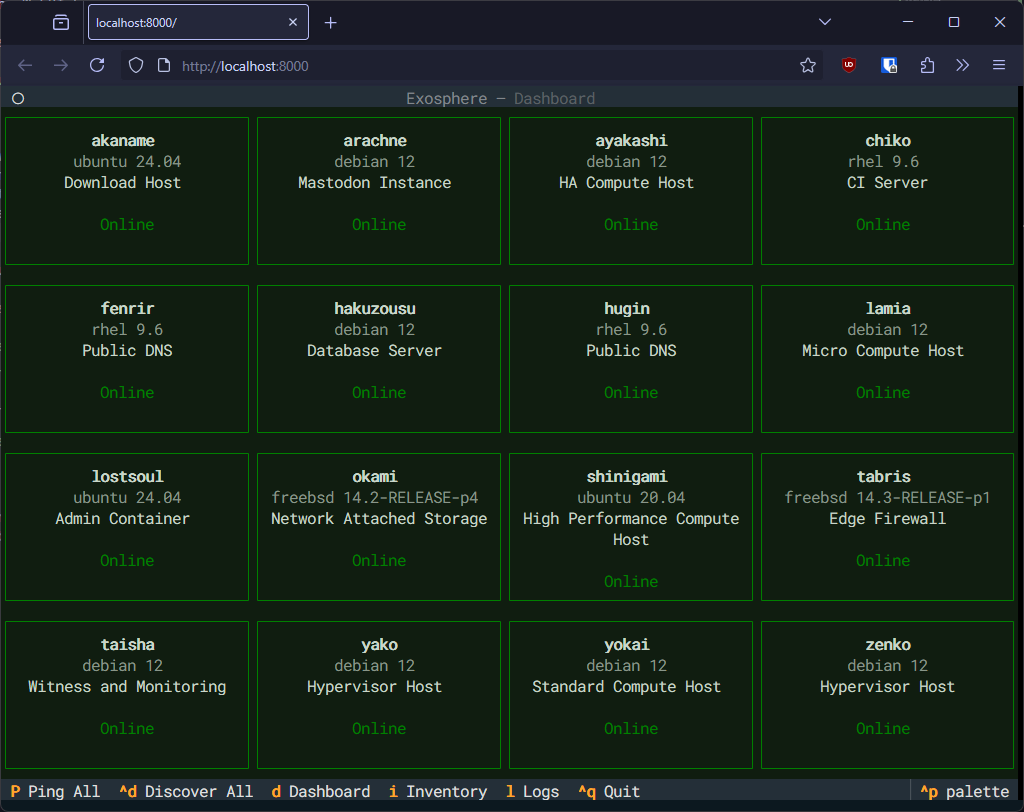
The controls are the exact same as the documented in the Text User Interface (TUI) documentation, so you can use the same keybinds and commands to navigate and perform operations.
The mouse can also be used to select elements from the interface.